Have you ever found yourself scrolling through endless feeds, marveling at the sheer variety of content available at your fingertips, and wondered how we got here? From live concerts and gaming marathons to intimate conversations and artistic performances, live streaming has become an omnipresent force in our digital lives. But for many, the origins of this technology remain a bit of a mystery. It feels like it just… appeared, fully formed and ready to connect millions. This lack of understanding can sometimes make it harder to appreciate the innovation and the journey that brought us to today’s sophisticated platforms.
Perhaps you’ve even considered dipping your toes into the world of live streaming yourself, whether as a viewer or a creator, but felt overwhelmed by the jargon or the seemingly complex setup. How did the initial, often clunky, attempts at broadcasting evolve into the seamless, high-definition experiences we enjoy today? Understanding the foundational concepts and the historical progression can demystify the process, making it more accessible and less intimidating for anyone looking to engage with live content, or even start their own channel.
Understanding the Core Concepts of Live Streaming
At its heart, live streaming is about transmitting video and audio over the internet in real-time. While the technology has advanced dramatically, the fundamental principles remain consistent. Here’s a breakdown of how it generally works:
- Capture: This is the initial stage where video and audio are recorded using a camera and microphone. This could be anything from a high-end DSLR and studio mic to a webcam and built-in laptop microphone. The quality of this input significantly impacts the final stream.
- Encoding: Once captured, the raw video and audio data are massive. Encoding is the process of compressing this data into a more manageable digital format, while still maintaining acceptable quality. This is crucial for efficient transmission over the internet. Common encoding standards include H.264 for video and AAC for audio.
- Transmission Protocol: After encoding, the data needs to be sent to a server. This is done using specific streaming protocols. Historically, protocols like RTMP (Real-Time Messaging Protocol) were dominant, designed for low-latency delivery. Modern streaming often uses HTTP-based adaptive bitrate streaming protocols like HLS (HTTP Live Streaming) or MPEG-DASH, which allow the viewer’s device to automatically switch between different quality levels based on their internet connection.
- Ingest Server: The encoded stream is sent to an ingest server, typically hosted by a streaming platform. This server acts as a receiving point, preparing the stream for distribution to a wider audience. It often handles authentication and initial processing.
- Content Delivery Network (CDN): For large-scale live events or platforms with global audiences, a CDN is vital. A CDN is a geographically distributed network of servers. Instead of all viewers connecting to a single server, the stream is replicated across many servers closer to the viewers, reducing latency and improving reliability.
- Playback: Finally, the viewer’s device (computer, smartphone, smart TV) receives the stream data. A decoding process reverses the encoding, and the video and audio are played back in real-time. Modern players can adapt to varying network conditions, often buffering a few seconds of content to ensure smooth playback.
Practical Details Beginners Often Overlook
While the technical backbone of live streaming can seem complex, getting started as a creator is more accessible than ever. However, there are several practical considerations that new streamers often overlook, which can significantly impact their experience and the quality of their broadcasts.
- Internet Connection Stability: This is arguably the most critical factor. While bandwidth is important (upload speeds of at least 5-10 Mbps are typically recommended for good quality 1080p streaming), stability is paramount. A fast but inconsistent connection will lead to dropped frames and a choppy stream. A wired Ethernet connection is almost always superior to Wi-Fi for streaming.
- Audio Quality Over Video: Many beginners prioritize a high-definition camera, but poor audio can be a much bigger deterrent for viewers. Invest in a decent external microphone. Even an affordable USB microphone can drastically improve sound clarity compared to a built-in webcam mic. Clear audio keeps viewers engaged, even if the video isn’t perfectly crisp.
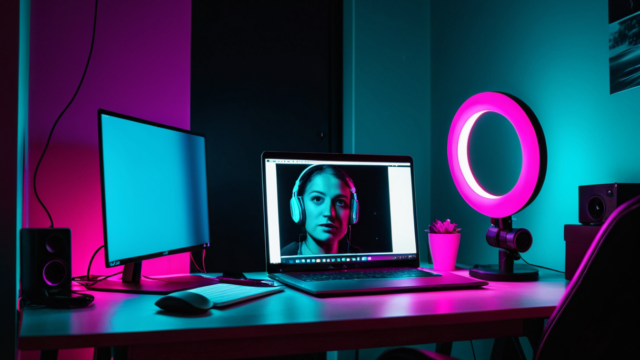
- Lighting: You don’t need a professional studio, but good lighting makes a huge difference. Natural light from a window is excellent, but avoid direct backlighting that will silhouette you. If using artificial lights, aim for soft, diffused light that illuminates your face evenly. Ring lights are popular and effective for streamers.
- Background and Environment: What’s behind you matters. A cluttered or distracting background can pull focus from you. A clean, well-lit, and non-distracting background helps maintain a professional or engaging appearance. Consider your environment’s acoustics too; an echoey room can make your audio sound distant or hollow.
- Software and Settings: You’ll need streaming software (like OBS Studio, Streamlabs Desktop, or XSplit) to manage your stream. Understanding its settings – particularly bitrate, resolution, and frame rate – is crucial. Incorrect settings can lead to pixelated video, low frame rates, or excessive buffering for viewers. Experiment and test your settings before going live.
- Interaction and Engagement: Live streaming is inherently interactive. Ignoring your chat, or not having a plan for engaging with your audience, can lead to a less dynamic experience. Acknowledge comments, ask questions, and build a connection. This is where live streaming truly shines compared to pre-recorded content.
- Testing, Testing, Testing: Before your first “real” stream, always do test streams. Stream to a private server or a platform with a “stream key” that only you know. Check your audio levels, video quality, lighting, and internet stability. This helps iron out kinks and builds confidence. On platforms like CamStars, a smooth, reliable stream is key to audience retention.
Setting Up Your Live Stream: A Step-by-Step Guide
Embarking on your live streaming journey can seem daunting, but with a clear roadmap, you’ll be engaging with your audience in no time. This guide will walk you through the essential steps to get your stream up and running smoothly.
- Choose Your Platform: Begin by selecting the live-cam platform that best suits your goals and content. Consider factors like audience reach, monetization options, and community features. Research different platforms to find one that aligns with your personal brand and streaming style.
- Gather Your Equipment: While you can start with just a smartphone, investing in some basic equipment can significantly improve your stream quality.
- Webcam: A good external webcam can offer superior image quality compared to a built-in laptop camera. Look for models offering 1080p resolution or higher.
- Microphone: Audio is crucial. A dedicated USB microphone will provide much clearer sound than your computer’s internal mic. Options range from simple desktop mics to more advanced condenser microphones.
- Lighting: Good lighting makes a huge difference in how you appear on camera. A simple ring light or softbox can illuminate your face evenly and professionally.
- Internet Connection: A stable and fast internet connection is paramount. Aim for an upload speed of at least 5-10 Mbps for reliable HD streaming. Consider a wired Ethernet connection over Wi-Fi for maximum stability.
- Set Up Your Streaming Software: Most streamers use broadcasting software to manage their live stream. Popular options include OBS Studio (free and open-source) and Streamlabs Desktop (user-friendly with integrated features).
- Download and Install: Choose your preferred software and follow the installation instructions.
- Configure Settings: Open the software and navigate to the settings menu. You’ll need to link your chosen live-cam platform by entering your stream key (found in your platform’s creator dashboard).
- Add Sources: This is where you tell the software what to display. Add your webcam as a video capture device, your microphone as an audio input capture, and any other elements like images, text, or screen captures.
- Adjust Audio Levels: Ensure your microphone audio is clear and at an appropriate volume. Use the audio mixer in your software to monitor and adjust levels, avoiding clipping or being too quiet.
- Optimize Your Environment: Your streaming space plays a key role in audience perception.
- Background: Choose a clean, uncluttered, and appealing background. This could be a well-decorated room, a simple backdrop, or even a virtual background if your software supports it.
- Lighting Placement: Position your lights to illuminate your face evenly, minimizing harsh shadows. Typically, a light source in front of you or slightly to the side works best.
- Soundproofing (Optional but Recommended): Minimize ambient noise. This might involve closing windows, using sound-absorbing panels, or simply choosing a quiet time to stream.
- Test Your Stream: Before going live to an audience, always perform a test stream. Many platforms offer a “private” or “unlisted” mode for this purpose.
- Check Video and Audio: Ensure your picture is clear, well-lit, and your audio is crisp and balanced.
- Monitor Performance: Keep an eye on your streaming software’s statistics to ensure you’re not dropping frames or experiencing connection issues.
- Review as an Audience Member: Watch your test stream from another device to get a true sense of the viewer experience.
- Go Live and Engage: Once you’re confident in your setup, it’s time to hit that “Go Live” button! Remember to interact with your chat, acknowledge new viewers, and maintain a friendly, engaging persona.
Common Mistakes and How to Fix Them
Even experienced streamers can encounter issues. Being aware of common pitfalls can save you time and frustration.
- Poor Audio Quality: This is often cited as the number one reason viewers leave a stream.
- Mistake: Using a built-in laptop microphone, having background noise, or incorrect audio levels.
- Fix: Invest in a dedicated USB microphone. Set up your streaming space to minimize echoes and background noise. Always monitor your audio levels in your streaming software to ensure they are in the optimal range (typically in the green/yellow zone).
- Inconsistent Schedule: Audiences thrive on predictability. Erratic streaming times make it hard for viewers to tune in regularly.
- Mistake: Streaming only when you feel like it, with no set pattern.
- Fix: Establish a consistent streaming schedule and stick to it as much as possible. Communicate any changes well in advance to your audience. Even a few scheduled hours a week are better than sporadic, unannounced streams.
- Ignoring Chat/Lack of Engagement: Live streaming is interactive. Ignoring your audience defeats the purpose.
- Mistake: Focusing solely on your content without acknowledging or responding to viewer comments.
- Fix: Actively monitor your chat. Make eye contact with your webcam periodically to simulate talking directly to your audience. Respond to questions, thank new followers, and encourage conversation. Even if you’re engrossed in an activity, make time for chat interaction every few minutes.
- Suboptimal Lighting: Dark, shadowy, or overexposed video can make you look unprofessional and deter viewers.
- Mistake: Relying on overhead room lighting, having a window behind you, or using a single harsh light source.
- Fix: Invest in dedicated lighting. A simple ring light placed directly in front of you can work wonders. For more advanced setups, consider a two- or three-point lighting system with softboxes or LED panels to evenly illuminate your face and minimize shadows. Avoid strong light sources directly behind you, as this will silhouette you.
- Unstable Internet Connection: Dropped frames, buffering, and pixelated video are frustrating for viewers.
- Mistake: Relying on a weak Wi-Fi signal, having too many devices using bandwidth, or insufficient upload speed.
- Fix: Use a wired Ethernet connection whenever possible. This provides a more stable and faster connection than Wi-Fi. Ensure your internet plan offers adequate upload speeds (typically 5-10 Mbps for HD streaming, more for higher quality). Minimize other internet usage during your stream.
Comparisons and Trade-Offs: Navigating Your Streaming Choices
The world of live streaming offers a spectrum of choices, each with its own advantages and considerations. Understanding these trade-offs is key to making informed decisions that align with your streaming goals.
Platform Choices: Reach vs. Niche
When selecting a live-cam platform, you’re often balancing the potential for broad audience reach with the benefits of a more specialized or creator-friendly environment.
- Large, Established Platforms: These platforms typically boast a massive existing user base, offering a higher potential for discovery if your content resonates. They often have robust infrastructure and a wide range of features. However, competition can be intense, and standing out might require more effort. Monetization options can vary, with some platforms offering a lower percentage of earnings to creators compared to niche sites.
- Niche or Creator-Focused Platforms: These platforms might have a smaller overall audience, but they often cater to specific interests or prioritize creator earnings and tools. You might find it easier to connect with a dedicated community and build a loyal following. While initial discovery might be slower, the engagement can be deeper. Creator payout percentages on these platforms can range significantly, often being more favorable to the streamer, sometimes upwards of 50-70% of gross earnings.
- Trade-off: Do you prioritize the chance for rapid exposure on a large platform, potentially accepting a smaller slice of a bigger pie, or do you prefer a more intimate community on a niche platform with potentially better earning splits, even if the initial audience size is smaller? Your choice will depend on your content, brand, and long-term aspirations.
Equipment Settings: Budget vs. Quality
Your equipment choices involve a direct trade-off between cost and the quality of your stream’s output.
- Entry-Level Setup (Budget-Friendly): You can start streaming with a smartphone or a basic webcam (costing around $20-$50) and your computer’s built-in microphone. This setup is highly accessible and allows you to get started quickly without significant upfront investment. The video quality might be 720p or 1080p, but often with less clarity, and audio can be prone to background noise.
- Mid-Range Setup (Good Value): Investing in a dedicated 1080p webcam (typically $50-$150), a USB condenser microphone (around $50-$150), and a simple ring light ($20-$70) significantly elevates your production value. This setup provides clear video, much improved audio, and better lighting, making your stream more professional and engaging.
- High-End Setup (Professional Quality): For those looking for broadcast-grade quality, a DSLR or mirrorless camera with a capture card (easily $500-$2000+), an XLR microphone with an audio interface (starting around $200-$500+), and a multi-point lighting system ($100-$500+) offers superior image depth, color fidelity, and studio-quality audio. This level of equipment requires a substantial financial commitment and often more technical know-how.
- Trade-off: The more you invest, the higher the potential for professional quality. However, starting with a budget-friendly setup allows you to test the waters and grow your audience before making significant financial commitments. Many successful streamers began with very basic gear and upgraded over time as their audience and earnings grew.
Monetization Strategies: Direct Support vs. Volume
How you earn money on live-cam platforms also presents different approaches.
- Direct Viewer Support (Tips, Subscriptions, Gifting): Many platforms allow viewers to directly support creators through tips, virtual gifts, or recurring subscriptions. This model often results in a higher percentage of the viewer’s contribution going directly to the streamer, after platform fees. It fosters a strong community where loyal viewers are willing to contribute to content they value. Earnings can be highly variable depending on audience engagement and generosity.
- Advertising and Sponsorships: Some larger platforms integrate advertising into streams, or creators can secure direct sponsorships with brands. This can provide a more stable income stream, but often requires a larger, more consistent audience base. The revenue per viewer might be lower than direct support, but the scale can make it significant.
- Hybrid Models: Most platforms now offer a combination of these. Creators can earn through direct tips, subscriptions, and potentially advertising revenue.
- Trade-off: Direct viewer support can be incredibly rewarding and provides a strong connection with your audience, but income can fluctuate. Advertising and sponsorships can offer more stability but often require a larger reach and may involve adhering to brand guidelines. Many creators find success by leveraging a hybrid approach, building a loyal base for direct support while also exploring advertising or sponsorship opportunities as their channel grows.
The journey of live streaming, from its nascent stages with JenniCam to the sophisticated platforms of today, showcases a remarkable evolution in technology and human connection. What began as a somewhat niche, experimental concept has blossomed into a global phenomenon, reshaping how we interact, entertain, and even earn a living.
Streamer Privacy and Security
While modern live streaming offers unprecedented opportunities for connection and income, it’s crucial for participants, especially those on platforms like CamStars, to be aware of certain practical considerations. Privacy, for instance, remains a paramount concern. Even with robust platform security, the internet is inherently public. It’s wise to assume that anything streamed could potentially be recorded or shared beyond your immediate audience. Therefore, thoughtful consideration of what you choose to share, and with whom, is essential. Many streamers employ strategies like using a separate streaming room in their home, avoiding showing identifiable personal details, and being mindful of background elements that could reveal private information.
Safety is another critical aspect. While platforms invest heavily in moderation and user safety features, online interactions can sometimes be unpredictable. Streamers should familiarize themselves with a platform’s reporting tools and blocking functions. It’s also beneficial to cultivate a supportive community and not hesitate to remove or block users who make you uncomfortable or violate community guidelines. Building a strong personal boundary and knowing when to disengage is a valuable skill in the live streaming world. Financial safety is also important. While live streaming can be a lucrative endeavor, income can fluctuate. It’s typically wise to view streaming income as supplementary or to diversify your income streams. Understanding how platform payouts work, including any fees or processing times, is crucial for managing expectations and finances effectively. Always be wary of unsolicited offers that seem too good to be true, and never share sensitive financial information outside of secure platform channels.
Furthermore, the emotional and mental well-being of streamers is a significant, often overlooked, aspect. Constant interaction, managing a community, and dealing with occasional negativity can be demanding. Taking regular breaks, setting clear boundaries with your audience, and having a support system, whether friends, family, or fellow streamers, can help maintain a healthy balance. Remember that your well-being should always take precedence over audience demands or perceived pressure to constantly be online.
Evolution of Live Streaming
- Live streaming has evolved from early, often experimental, personal broadcasts to highly sophisticated global platforms.
- Technological advancements, such as improved internet speeds and camera quality, have been crucial drivers of this growth.
- The business models of live streaming have diversified significantly, moving from subscription-only to incorporating tipping, virtual gifts, and advertising.
- Community building and direct interaction between broadcasters and viewers are central to the appeal and success of modern live streaming.
- Privacy and personal safety remain critical considerations for all participants, requiring thoughtful content choices and boundary setting.
- Financial success in live streaming often involves consistent effort, audience engagement, and understanding platform economics.
- Maintaining mental and emotional well-being is paramount for streamers due to the demanding nature of constant online interaction.
- The future of live streaming is likely to continue innovating with new interactive features and integration with emerging technologies.
The journey from JenniCam’s pioneering spirit to today’s expansive live streaming ecosystem is a testament to human ingenuity and our enduring desire for connection. As technology continues to advance, the possibilities for interaction and expression through live streaming will only continue to grow.