So, you’ve matched with someone intriguing, the conversation’s flowing, and now it’s time for the next step: a video date. While the convenience and comfort of meeting virtually from your own space are undeniable, the transition from text to live video can bring its own set of anxieties. You want to make a great first impression, but suddenly you’re hyper-aware of your lighting, your background, and whether your voice sounds as confident as you feel. It’s a common hurdle – how do you translate your best self into a digital format without looking like you’re broadcasting from a dimly lit cave or sounding like you’re whispering through a tin can?
The good news is, making a strong visual and auditory impression on a video date isn’t about having a professional studio setup. It’s about understanding a few fundamental principles and making some simple, impactful adjustments. Think of it as setting the stage for a great conversation, ensuring that your personality, humor, and charm are the main event, not struggling to be seen or heard. With a little preparation, you can ensure your virtual presence is as engaging as your real-world one.
Understanding the Basics of a Great Video Date Setup
Before diving into specific tips, let’s break down the core components that contribute to a successful video date. These aren’t just about looking good; they’re about facilitating clear communication and creating a comfortable atmosphere for both you and your date. When you understand these elements, you can approach your setup strategically.
- Lighting: Your Virtual Spotlight: Good lighting is arguably the most crucial factor. It affects how clearly you’re seen, the quality of your skin tone, and even the perceived atmosphere of your environment. Think of it as the difference between a well-lit cafe and a shadowy corner.
- Audio: The Foundation of Connection: What good is a great visual if your date can’t hear you clearly? Muffled, echoing, or distorted audio is a quick way to break immersion and make conversation a chore. Clear audio ensures your words and tone come across as intended.
- Framing & Background: Your Personal Stage: Your camera’s frame dictates what your date sees of your surroundings. A thoughtful background can be neutral and non-distracting, or it can offer a subtle glimpse into your personality without overwhelming the focus on you.
- Camera Angle: Your Best Perspective: Just like in real life, different angles can be more flattering or less so. A well-chosen camera angle can make you appear more engaged and confident.
- Internet Connection: The Unsung Hero: All the perfect lighting and audio in the world won’t matter if your video is constantly freezing or pixelating. A stable internet connection is the backbone of any smooth video interaction.
Practical Details Beginners Often Overlook
It’s easy to focus on the big picture, but often, the small, seemingly insignificant details are what make a big difference in the quality of your video date. These are the elements that can elevate your experience from “just okay” to genuinely impressive.
Test Your Setup Thoroughly
Never go into a video date without testing your setup first. Many platforms, including CamStars, offer pre-call test options for camera and microphone. If not, open a video conferencing app with a friend or even just record a short video of yourself. Pay attention to:
- Lighting Consistency: Does the light remain consistent, or do shadows shift dramatically with slight movements?
- Audio Clarity: Can you hear yourself clearly? Is there any background noise that’s more prominent than your voice?
- Background Intrusions: Are there any unexpected reflections, glare, or distracting items you didn’t notice before?
- Eyeline: Are you looking directly into the camera, or does it seem like you’re looking off to the side or down?
Position Your Camera for Eye Contact
One of the most common mistakes is having the camera positioned too low, forcing you to look down at your screen. This can make you appear disengaged or as if you’re not paying full attention. Ideally, your camera should be at eye level, or slightly above. This creates the illusion of direct eye contact, which is crucial for connection. Use books, a stack of boxes, or a monitor stand to elevate your laptop or external webcam. If you’re using a phone, a small tripod or prop can achieve the same effect.
Mind Your Background’s Story
Your background speaks volumes, even if unintentionally. While a perfectly curated backdrop isn’t necessary, a messy bed, a pile of laundry, or a cluttered desk can be distracting. Aim for a clean, uncluttered background. A plain wall, a bookshelf, or a nicely arranged corner of your room works well. Consider what message your background sends. Is it inviting or chaotic? You don’t need to hide your personality, but make sure the background enhances, rather than detracts from, your presence.
Silence Notifications and Close Unnecessary Tabs
A sudden “ding” from your phone or a pop-up notification on your screen can instantly break the flow of conversation. Before your date, put your phone on silent (or even airplane mode if you’re not using it for the call) and close any applications or browser tabs that aren’t essential. This minimizes distractions for you and ensures your date has your full, undivided attention.
Check Your Internet Speed
Even if your internet typically works fine, a quick speed test before a video date can save you from frustrating lag or dropped calls. Websites like Speedtest.net can give you a quick reading. While exact requirements vary, for smooth video, you’ll generally want upload and download speeds of at least 5-10 Mbps. If your speed is low, try restarting your router, closing other bandwidth-heavy applications, or moving closer to your Wi-Fi source.
Setting the Scene: Your Step-by-Step Guide to a Flawless Video Date
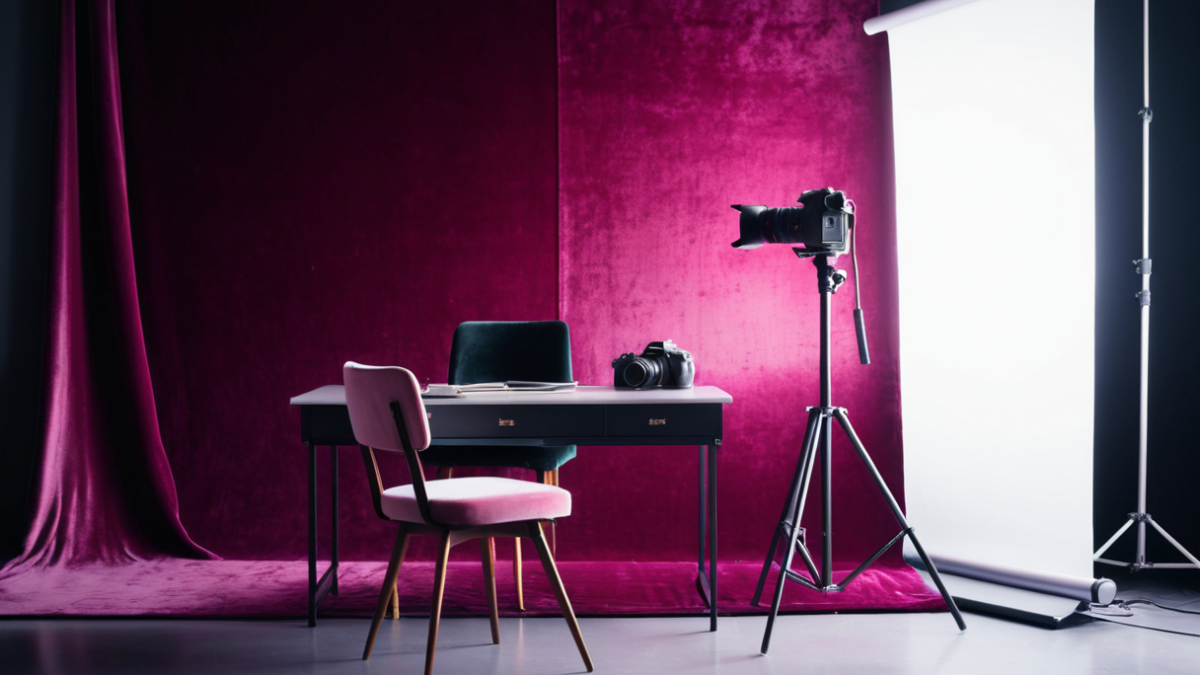
A successful video date isn’t just about what you say; it’s also about the environment you create. Think of it as a mini-production where you’re both the star and the director. Here’s a step-by-step guide to help you set the stage for a great first impression:
- Choose Your Location Wisely: Select a quiet, private area where you won’t be interrupted. A bedroom or home office often works well. Avoid high-traffic areas or places with distracting background noise.
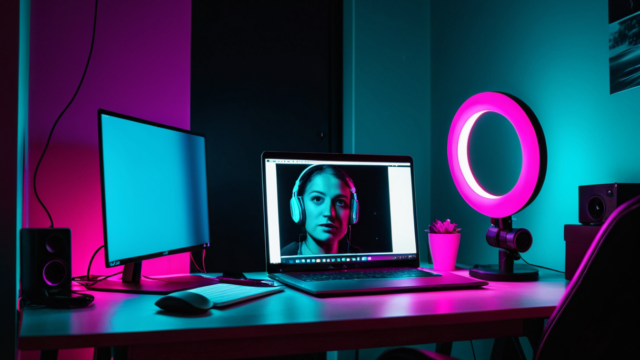
- Optimize Your Lighting: Natural light is your best friend. Position yourself facing a window if possible, allowing soft, even light to illuminate your face. If natural light isn’t available, use a soft, diffused light source in front of you. Avoid overhead lights or backlighting, which can create harsh shadows or make you appear silhouetted. A simple ring light can make a significant difference and costs anywhere from $15 to $50.
- Declutter Your Background: Your background should be tidy and uncluttered. A plain wall, a bookshelf, or a tastefully decorated corner can work wonders. Remove any personal items you wouldn’t want a stranger to see, or anything that might be distracting. Remember, less is often more.
- Position Your Camera Correctly: The ideal camera angle is slightly above eye level, looking down at you. This is generally more flattering than looking up your nose. If you’re using a laptop, consider placing it on a stack of books or a stand. Ensure your face fills a good portion of the frame, but don’t cut off the top of your head or your shoulders.
- Test Your Audio: Before your date, do a quick audio test. Use headphones with a built-in microphone for the clearest sound, or ensure your computer’s microphone is working well. Speak naturally and listen for any echoes or distortion. A decent set of wired earbuds can range from $10 to $30, while wireless options can start at $40 and go much higher.
- Check Your Internet Connection: A stable internet connection is crucial for a smooth video call. If possible, use a wired Ethernet connection for reliability. If you’re on Wi-Fi, ensure you’re close to your router and that other devices aren’t hogging bandwidth.
- Dress for Success (and Comfort): While you want to look good, you also want to feel comfortable. Choose an outfit that makes you feel confident and presentable. Opt for solid colors or subtle patterns, as busy patterns can be distracting on camera.
- Prepare Your Appearance: A few minutes before your call, take a moment to refresh your appearance. Ensure your hair is tidy, and if you wear makeup, apply it as you normally would for a casual outing.
- Have Water Handy: Keep a glass of water nearby. Talking can make your throat dry, and you don’t want to excuse yourself mid-conversation.
- Minimize Distractions: Turn off notifications on your phone and computer. Let anyone else in your household know you’ll be on a call and ask for minimal interruptions.
Common Mistakes and How to Avoid Them
Even with the best intentions, it’s easy to fall into some common video dating pitfalls. Being aware of these can help you sidestep awkward moments and make a better impression.
- Poor Lighting: The Dungeon Effect
- Mistake: Sitting in a dimly lit room, having a bright light source behind you (creating a silhouette), or using harsh overhead lighting that casts unflattering shadows.
- Fix: Position yourself facing a window for natural light. If that’s not possible, use a soft lamp in front of you. A ring light is an excellent, affordable investment for consistent, flattering illumination. Avoid strong backlighting at all costs.
- Distracting Background: The Clutter Catastrophe
- Mistake: A messy bed, laundry piled up, an unmade desk, or a busy, highly personal background that draws attention away from you.
- Fix: Take a few minutes to tidy up the area visible behind you. A plain wall, a neatly arranged bookshelf, or a simple plant can provide a clean, professional, and inviting backdrop. Think minimal and intentional.
- Bad Audio: The Muffled Whisper or Echo Chamber
- Mistake: Relying on a low-quality built-in microphone that picks up too much background noise, or speaking too quietly, making you hard to hear.
- Fix: Use headphones with a built-in microphone. These significantly improve sound clarity and reduce echo. If you’re not using headphones, ensure your room is quiet and that your microphone input levels are set appropriately in your computer’s settings. Test your audio before the call.
- Awkward Camera Angle: The Nose Cam or Ceiling Shot
- Mistake: Having your camera positioned too low, giving your date an unflattering view up your nostrils, or too high, making you look small and distant.
- Fix: Elevate your laptop or webcam so the camera is slightly above eye level, looking slightly down at you. This is generally the most flattering angle. Ensure your face and upper torso are comfortably within the frame.
- Lack of Engagement: The Staring Contest or Multitasker
- Mistake: Staring intently at your own image, looking away constantly, or being visibly distracted by other screens or notifications.
- Fix: Make an effort to look at your webcam, not just the screen, when you’re speaking. This simulates eye contact. When your date is speaking, listen actively and nod or smile to show engagement. Turn off all other notifications to give your date your full attention.
Platform Choices and Cost Considerations
When it comes to video dating, you have a range of platforms and tools at your disposal, each with its own benefits and potential costs. Understanding these can help you make informed decisions.
Video Calling Platforms
Most video dating platforms integrate their own video chat features, but sometimes you might opt for a third-party service for a more private or feature-rich experience. The choice often depends on mutual agreement and comfort levels.
- Integrated Dating App Features: Many modern dating apps now include built-in video call functionality. These are often the easiest to use as they keep everything within one ecosystem.
- Pros: Convenient, secure (often with reporting features), no need to exchange personal contact info.
- Cons: Features can be basic, video quality might vary, and you’re tied to the app’s interface.
- Cost: Typically included with the app’s free or paid subscription (which can range from $0 to $30+ per month).
- General Video Conferencing Tools (e.g., Zoom, Google Meet, Skype): These are widely used for professional and personal calls and offer robust features.
- Pros: High-quality video and audio, screen sharing, virtual backgrounds (if you need to hide a mess!), and often more reliable connections.
- Cons: Requires exchanging personal contact information (email or username), might feel more formal than a dating app’s built-in option.
- Cost: Free for basic calls (typically up to 40-60 minutes for groups, but often unlimited for 1-on-1 calls). Paid tiers for advanced features or longer group calls can range from $10 to $20+ per month.
- Messaging Apps with Video Call Features (e.g., WhatsApp, FaceTime, Signal): These are great for quick, informal calls if you’ve already exchanged phone numbers.
- Pros: Very convenient if you’re already using the app for messaging, generally good quality.
- Cons: Requires sharing your phone number, which might be too soon for a first date.
- Cost: Free (uses your data plan or Wi-Fi).
Hardware and Accessories
While you can certainly have a great video date with just your laptop or smartphone, a few inexpensive accessories can significantly enhance your experience.
- Webcam: Most laptops have decent built-in webcams, but an external webcam can offer superior image quality and more flexible positioning.
- Cost: Basic external webcams can range from $20 to $50, with higher-end models going up to $100+.
- Headphones with Microphone: Essential for clear audio and reducing background noise.
- Cost: Basic wired earbuds with a mic can be found for $10 to $30. Decent wireless options start around $40 to $80.
- Lighting: A simple ring light or desk lamp can dramatically improve your video quality.
- Cost: Small, clip-on ring lights are often $15 to $30. Larger, more versatile ring lights can be $30 to $60.
- Laptop Stand/Tripod: Helps achieve the optimal camera angle.
- Cost: Basic laptop stands are $15 to $40. Small phone tripods are typically $10 to $25.
The key takeaway is that you don’t need to spend a fortune to look and sound great. A few thoughtful adjustments and perhaps a minimal investment in a key accessory can make a world of difference in creating a comfortable and engaging video date experience.
Protecting Your Webcam Date Privacy
While the excitement of a video date is undeniable, it’s always wise to approach online interactions with a degree of caution, just as you would in the offline world. Your privacy is paramount. Before sharing any personal information beyond what’s necessary for the date itself, consider the platform you’re using. Many reputable video dating services or live-cam platforms like CamStars offer built-in features to protect your identity and data. However, be mindful of what you say or show that could inadvertently reveal your location or other sensitive details. Avoid sharing your full address, workplace, or any financial information during a first date.
Regarding safety, trust your instincts. If a conversation feels uncomfortable or a request seems inappropriate, it’s perfectly acceptable to end the call. Most platforms have reporting mechanisms for problematic behavior, and it’s good to familiarize yourself with these before you start dating. Remember that you are in control of your experience. Never feel pressured to continue a conversation or reveal something you’re not comfortable with.
When it comes to money, be wary of any requests for financial assistance or gifts, especially early on in a relationship. Scammers often target individuals on dating platforms, and these requests are a common red flag. A genuine connection won’t involve financial demands. If you’re using a platform with paid features or tipping options, understand how these work and manage your budget responsibly. The goal is to have a fun and engaging experience, not to be exploited financially.
Finally, always ensure your internet connection is secure, especially if you’re using public Wi-Fi. A private network at home is always preferable for video calls where personal information might be exchanged. Basic digital hygiene, like strong, unique passwords for your accounts, also goes a long way in protecting your overall online safety.
Top 4 Tips for a Great Date
- Optimize Your Lighting: Aim for soft, natural light in front of you, avoiding harsh overhead or backlighting.
- Check Your Audio: Use a good quality microphone or headset to ensure clear, crisp sound without background noise.
- Curate Your Background: Choose a clean, uncluttered, and appealing backdrop that reflects your personality.
- Test Your Setup: Do a quick tech check before the date to ensure your camera, microphone, and internet are working perfectly.
- Dress for Success: Select an outfit that is comfortable, flattering, and appropriate for a video date.
- Engage Actively: Maintain eye contact with your webcam, listen attentively, and participate enthusiastically in the conversation.
- Prioritize Privacy: Be cautious about sharing personal information and trust your instincts regarding safety.
- Manage Expectations: Remember that it’s a first date; relax, be yourself, and enjoy the opportunity to connect.
By following these tips, you’re well on your way to making a fantastic impression on your next webcam first date!